
Part of the course: Front desk in Cary · 3/6
Invoice, charge and print the ticket
Find what is still to collect with the "to collect" chip, raise the invoice, record the payment and print the ticket, including several invoices on one ticket.
What is still to collect
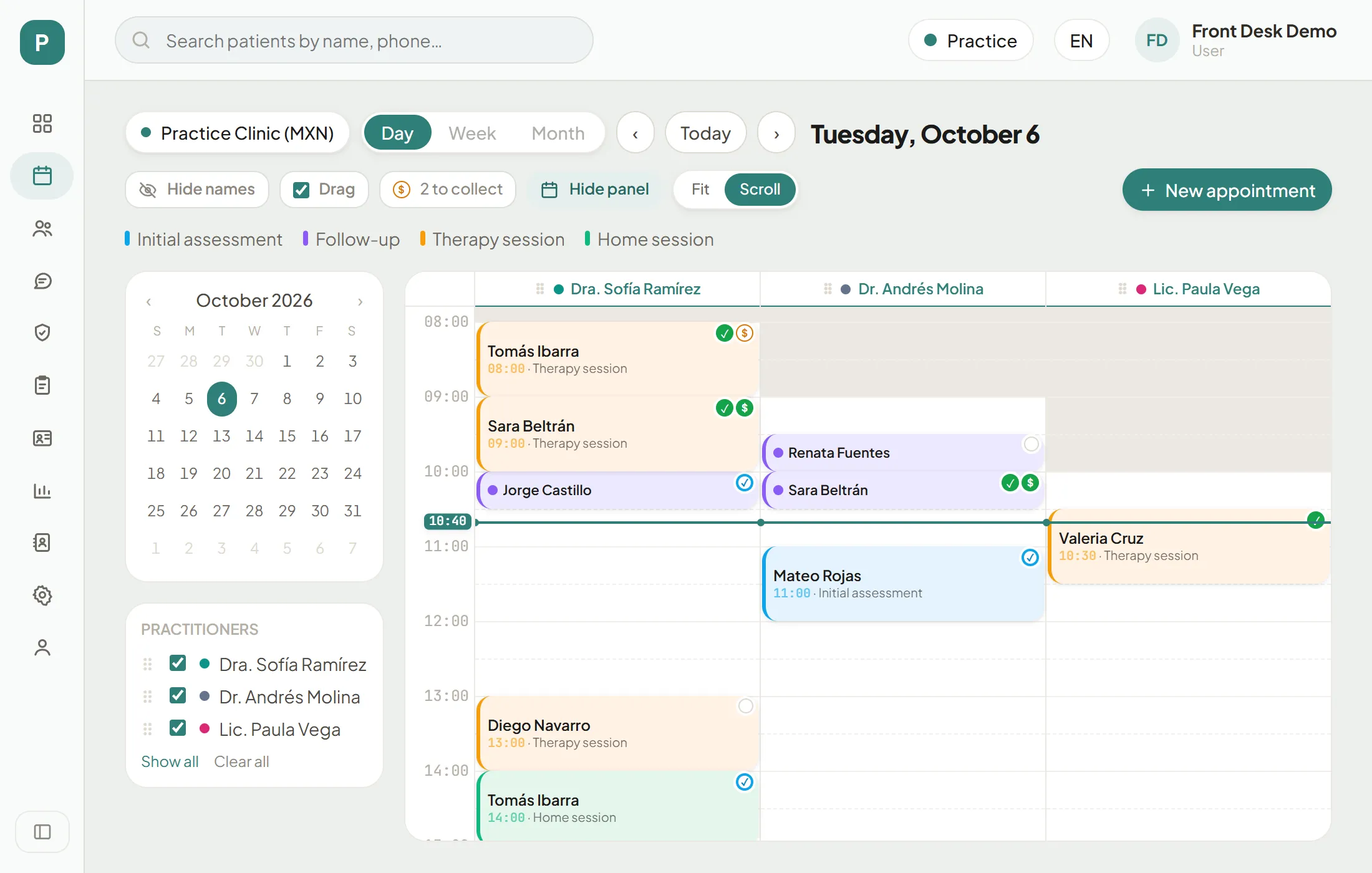
On the schedule, every appointment with an invoice carries a $ next to its status:
- $ with an orange ring: invoice open, not paid yet.
- Filled green $: invoice paid.
Above the schedule, the “N to collect” chip counts today’s appointments that have an open invoice or where the patient arrived and nothing has been invoiced yet. When nothing is pending, the chip is not shown.
Charge and print the ticket
Step by step
Step 1 of 9
The "to collect" chip
Two appointments are pending today: Tomás has an open invoice (orange $) and Valeria arrived but has no invoice.
Several invoices on one ticket
Cary raises one invoice per appointment. When a patient had several appointments, say two services back to back in the morning, they can take one ticket for all of them. You do it from their profile.
Print invoices together
Step 1 of 5
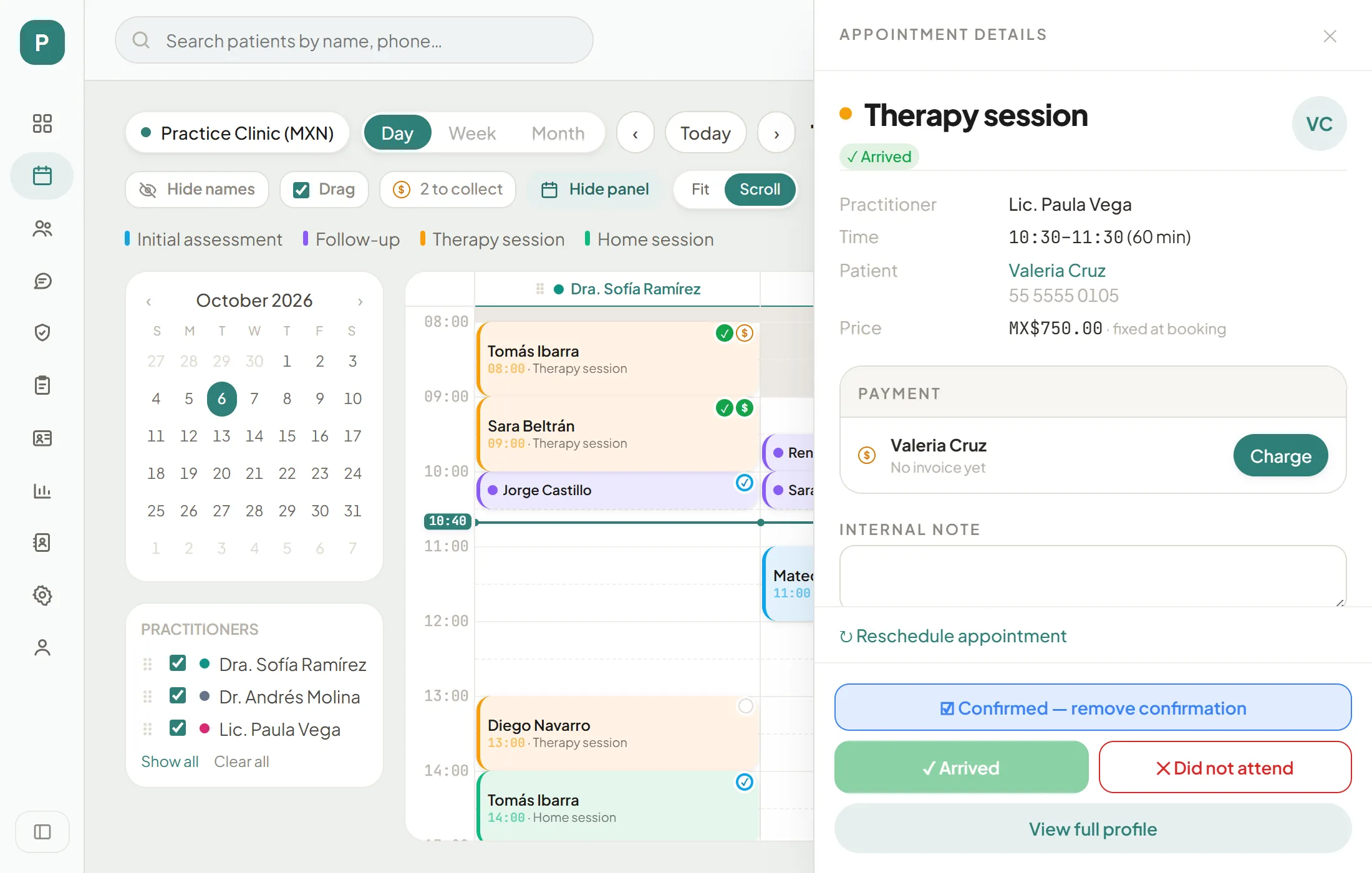
Open the patient's profile
From the details of any of their appointments, press "View full profile" (or their name).
Your turn: simulation
Simulation: your turn
Practise
Before charging, check
0/5