
Part of the course: Front desk in Cary · 1/6
Book an appointment
Book an appointment from the schedule — for an existing or a new patient —, several services in one visit, and recurring appointments.
Step by step
Step by step
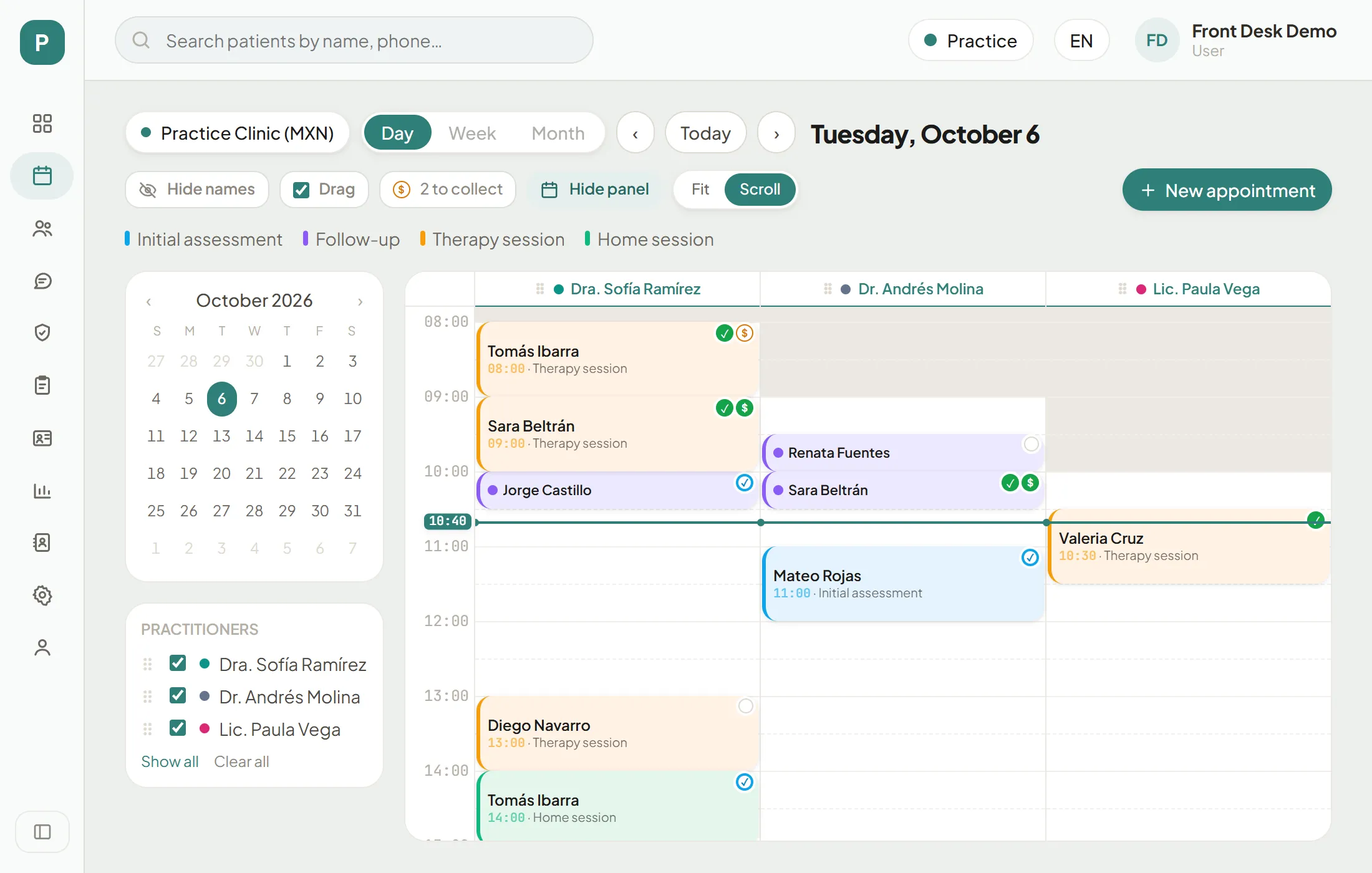
Step 1 of 5
Open the form
Press "New appointment". You can also click a free slot in the practitioner's column: the form opens at that time.
Several services in one visit
When the patient comes for more than one service the same day, book them together instead of creating each appointment separately.
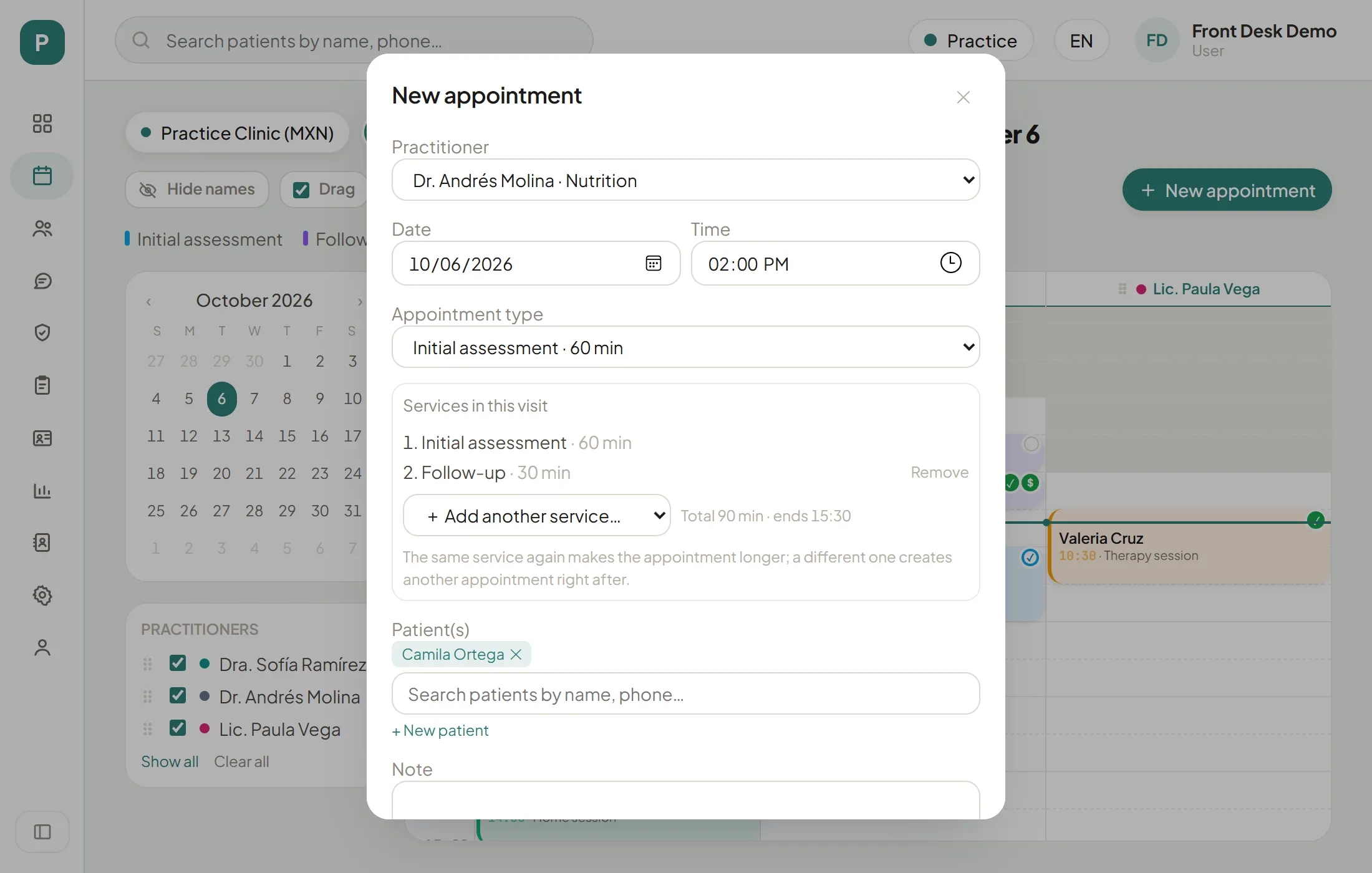
Services in this visit
Step 1 of 1
Add another service
In "Services in this visit", pick what comes next in "+ Add another service…". The same service again makes the appointment longer; a different one creates another appointment right after. Below you see the total minutes and when it ends.
Recurring appointments
For treatments of several sessions, book the whole series at once.
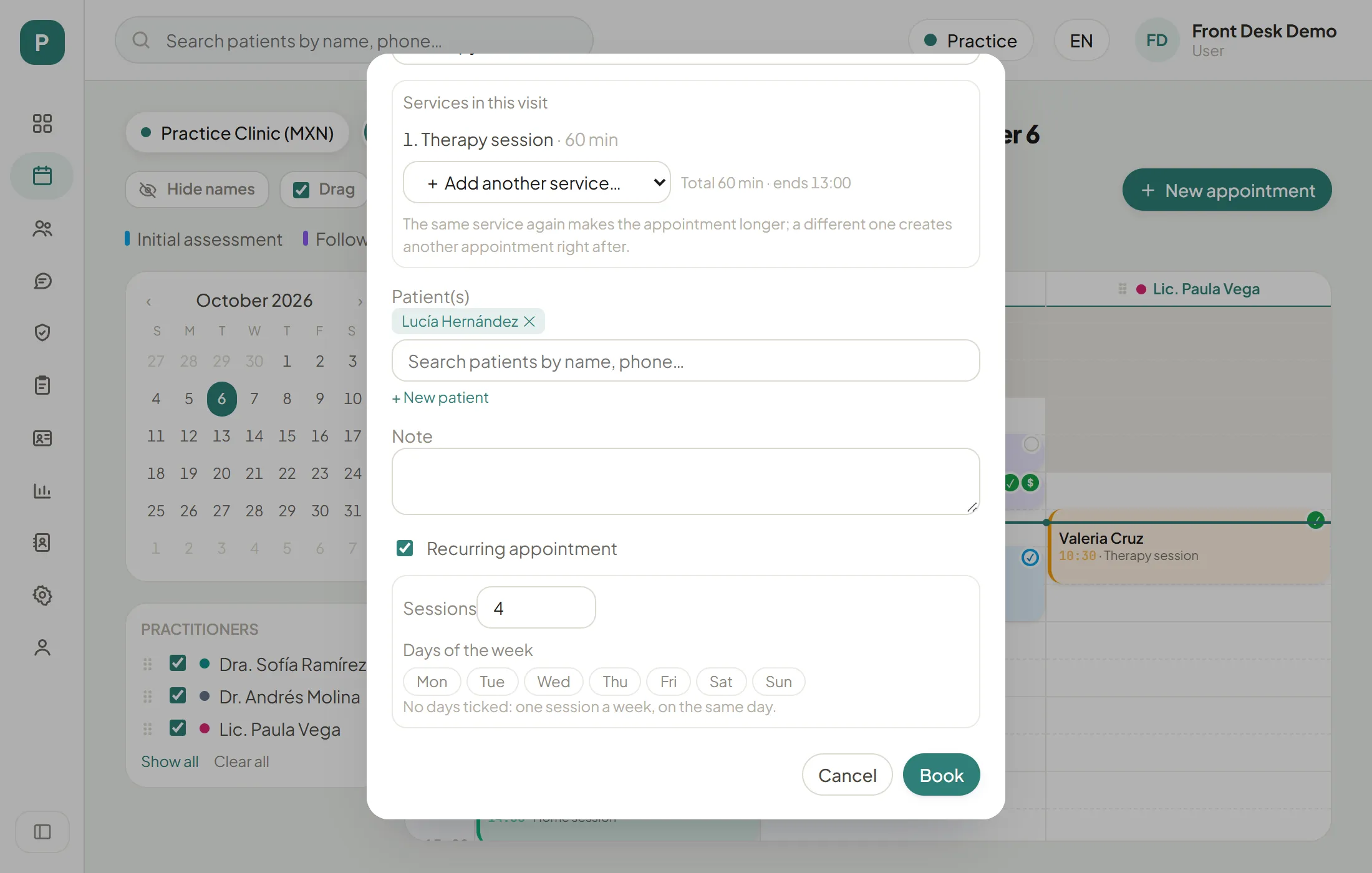
Recurring appointment
Step 1 of 2
Tick "Recurring appointment"
It is at the end of the form, below the note.
Your turn: simulation
Simulation: your turn
Practise on the schedule
This schedule really works, but only in your browser. The tasks tick themselves off when you get them right.
Before booking, check
0/4